01
Open Pulse AI Orb
There is no account. You can connect Apple Health, try a demo, or start with an empty day.
Wellness on your iPhone
Pulse AI Orb reads a pulse from your face, sleep and heart from Apple Health, and a breath check from the microphone. The numbers stay on this iPhone. It is a wellness estimate, not a medical device.
iPhone · iOS 17 or later · No account
Pulse, sleep, and the morning score. On the device.
Screenshots
From the first scan to your morning score.
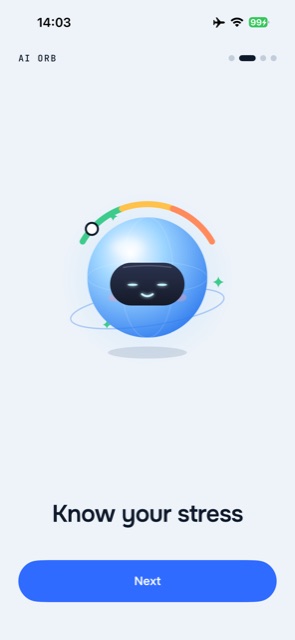
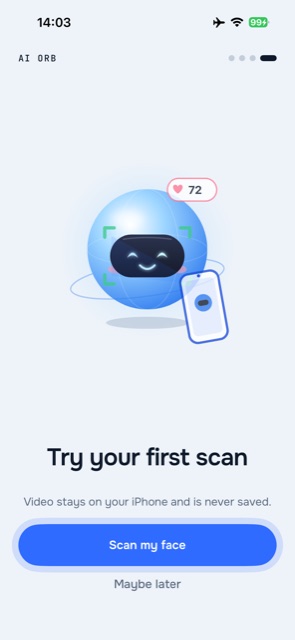
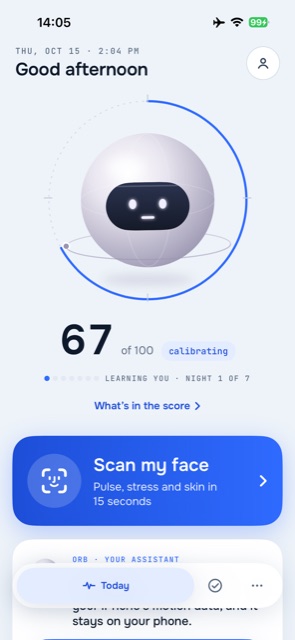
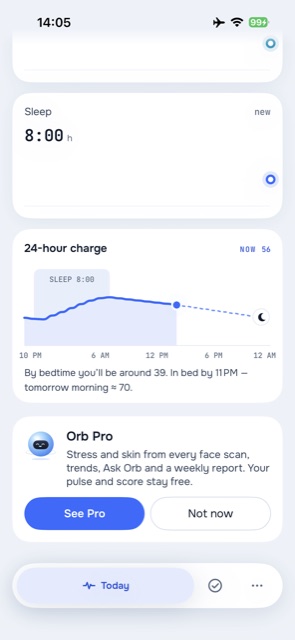
How it works
You approve Health access if you want it. Nothing is uploaded to a Pulse AI Orb server, because there isn’t one.
01
There is no account. You can connect Apple Health, try a demo, or start with an empty day.
02
About fifteen seconds on the front camera. Video is processed on the iPhone and is never saved.
03
Pulse, sleep, steps, and HRV stay free. The morning score is an estimate from your own numbers.
04
Stress and skin from the scan, trends past seven days, unlimited Ask Pulse AI Orb, and a weekly report.
Pulse AI Orb Pro
Three auto-renewing plans. Monthly and yearly include a one-week free trial. The weekly plan is billed from the first day. Figures below are the US prices configured for the app; your App Store region may differ.
Yearly
$34.99 / year
About $0.67 a week · 1 week free
Monthly
$4.99 / month
About $1.15 a week · 1 week free
Weekly
$2.99 / week
Billed from day one · no free trial
Pulse, the morning score, sleep, steps, and HRV stay free. A subscription renews until you cancel in Settings › Apple Account › Subscriptions, at least 24 hours before the period ends. Payment is charged to your Apple Account.
Features
Estimates from your own signals. Pulse AI Orb does not diagnose, prescribe, or measure blood pressure, oxygen, or blood sugar with the camera.
The front camera reads a pulse from skin colour. The video is not saved. Saving a reading to Apple Health is a separate choice.
Sleep, heart, and movement, compared with your own usual range. Free, every morning.
The microphone counts breaths. Audio is processed on the iPhone and is never recorded.
Sleep, heart rate, HRV, activity, walking data, and body readings you already store in Health. Used on this device only.
Questions about your own numbers, answered by Apple Intelligence on the iPhone when that model is available. Two answers a day stay free.
Pulse AI Orb Pro puts the week next to the one before it: sleep, heart, stress, and steps, with a next step. Not a diagnosis.
On this iPhone
No account, no analytics, no advertising. The local store is excluded from iCloud backup.
FAQ
No. It is a general wellness app. A face scan is an estimate of pulse, not a medical measurement, and it cannot measure blood pressure, oxygen, or blood sugar. If you feel unwell, contact a doctor or emergency services.
No. Metrics, scans, logs, and your profile stay on the iPhone. They are not sent to a Pulse AI Orb server and the store is excluded from iCloud backup. Apple Health data is not used for advertising or analytics.
Nothing is saved. The front camera is used to estimate a pulse from changes in skin colour. The frames are processed on the iPhone and discarded.
Nothing is saved. During a breath check the microphone is used to count breaths. The audio is processed on the iPhone and is not written to a file.
On the monthly and yearly plans, the one-week trial becomes a paid subscription unless you cancel at least 24 hours before it ends. The weekly plan has no trial: it is charged from the day you subscribe. Cancel in Settings › Apple Account › Subscriptions. Pulse and the morning score stay free either way.
iPhone on iOS 17 or later. Ask Pulse AI Orb’s free-text answers need a device that can run Apple Intelligence. There is no iPad or Mac app.
In the app, open Data & privacy and choose Delete all data. That removes check-ins, scans, breath checks, sleep logs, steps, body readings, your profile, feedback, and settings from this phone. Samples you already saved to Apple Health are not deleted.
Pulse AI Orb
The listing link goes here once the app is live. Until then, the privacy policy and terms below are the pages the app will open.